
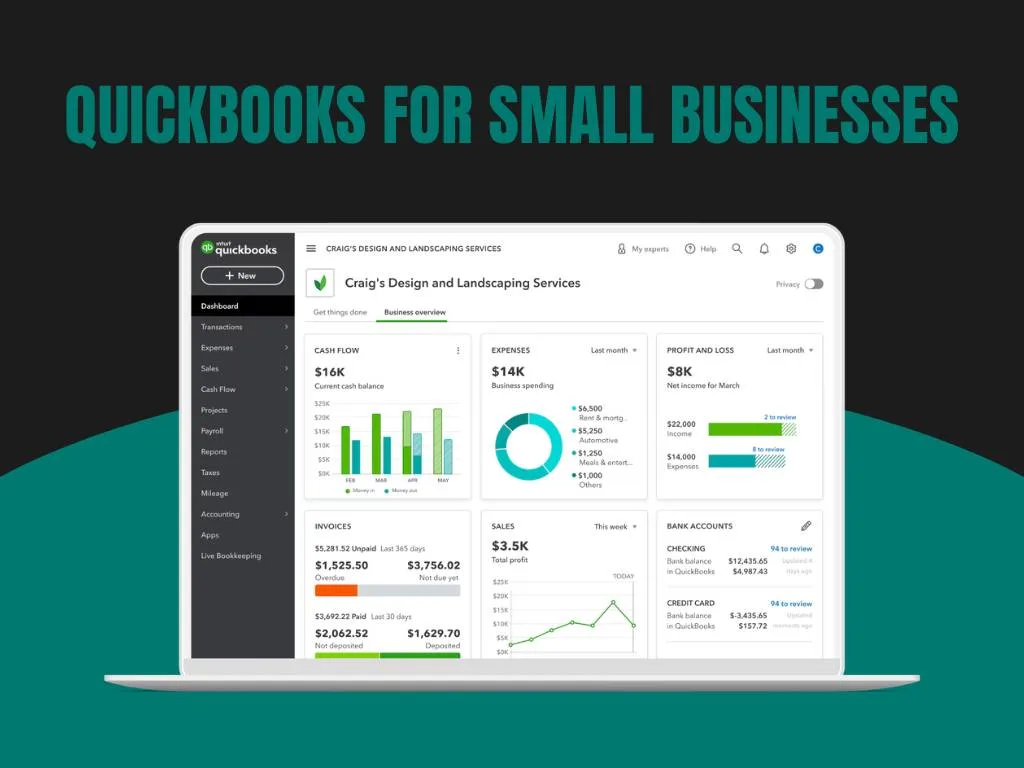
QuickBooks for Small Businesses is a powerful accounting tool that helps owners track income, expenses, bills, and cash flow with ease. When set up properly, it saves time, reduces errors, and gives a clear picture of financial health. With the right habits, QuickBooks becomes more than bookkeeping software – it becomes a growth partner.
Why QuickBooks Matters for Small Businesses
Clear Financial Visibility
QuickBooks records every transaction, helping business owners understand cash flow, profits, and expenses in real time.
Saves Time
Automated invoices, bank feeds, and reports reduce manual work so owners can focus on clients and growth.
Built to Grow
Unlike spreadsheets, QuickBooks scales with your business – whether you’re a solo entrepreneur or managing a growing team.
Reduces Errors and Stress
Automation and organized records minimize mistakes and simplify tax season.
Access Anywhere
QuickBooks Online works on any device, allowing you to manage finances on the go.
How to Set Up QuickBooks Properly
Getting started is simple if you follow these steps:
1. Choose the Right Version
For most small businesses, QuickBooks Online is ideal. It’s cloud-based, easy to use, and automatically updated.
2. Add Company Details
Enter your business name, tax information, and contact details to ensure accurate reporting.
3. Connect Bank Accounts
Linking bank and credit card accounts automates transaction tracking and reduces manual entry.
4. Set Up the Chart of Accounts
Organize income, expenses, assets, and liabilities correctly to keep reports clear and reliable.
Managing Daily Tasks in QuickBooks
Track Income and Expenses
Record sales, bills, and payments to maintain accurate books and steady cash flow.
Create and Send Invoices
Send branded invoices in minutes and automate payment reminders to reduce delays.
Reconcile Accounts Monthly
Match QuickBooks records with bank statements to ensure accuracy.
Features That Support Growth
QuickBooks goes beyond basic bookkeeping:
- Payroll Management – Process salaries and manage tax deductions easily.
- Tax Reports – Generate ready-to-use reports for tax filing.
- Cash Flow & Profit Reports – Make smarter financial decisions with real-time insights.
- Project Tracking – Monitor income and expenses by job to protect profit margins.
- Custom Dashboards – View key performance metrics at a glance.
Common Challenges (and How to Avoid Them)
- Learning Curve – Use tutorials or hire a QuickBooks expert.
- Data Entry Errors – Link bank accounts and review reports regularly.
- Ignoring Reports – Weekly review of reports improves decision-making.
- Skipping Updates – Keep the software updated for security and performance.
Tips to Use QuickBooks Effectively
- Enable automation for recurring bills and invoices.
- Review reports weekly.
- Reconcile accounts monthly.
- Keep records updated daily.
- Back up data regularly.
- Seek expert support when needed.
QuickBooks vs. Manual Bookkeeping
| Feature | QuickBooks | Manual Bookkeeping |
|---|---|---|
| Accuracy | High with automation | Prone to errors |
| Time | Fast and efficient | Time-consuming |
| Reports | Instant financial insights | Limited clarity |
| Scalability | Grows with your business | Hard to scale |
While QuickBooks has a monthly cost, the time saved and reduced errors often outweigh the expense.
Advanced Strategies
To get even more value:
- Automate recurring entries
- Use class and location tracking
- Create custom financial reports
- Integrate with payroll, CRM, or inventory tools
- Use budgeting tools to forecast growth
- Set user roles for better security
How Confiance Can Help
Confiance provides expert QuickBooks setup and ongoing support for small businesses. From account setup and automation to reporting and financial checks, we ensure your books stay accurate and growth-ready.
With reliable data and clean records, you can focus on scaling your business while we handle the numbers.
FAQs
What is QuickBooks?
An accounting software that helps small businesses manage income, expenses, invoices, and reports efficiently.
Is it hard to use?
No. It’s designed for small businesses with simple menus and helpful guides.
Can it save time?
Yes. Automation reduces manual work and speeds up invoicing and reporting.
Does it help with taxes?
Yes. It generates tax-ready reports and keeps records organized.
Can it grow with my business?
Absolutely. QuickBooks scales as your business expands.